


|
Name |
Clip Studio Paint |
|---|---|
|
Google Play Link |
GET IT ON
Google Play
|
|
Category |
Art & Design |
|
Developer |
CELSYS,Inc. |
| Last version | 5.1.4 |
|
Updated |
|
|
Compatible with |
Android 12+ |
Introduction to Studio Paint APK
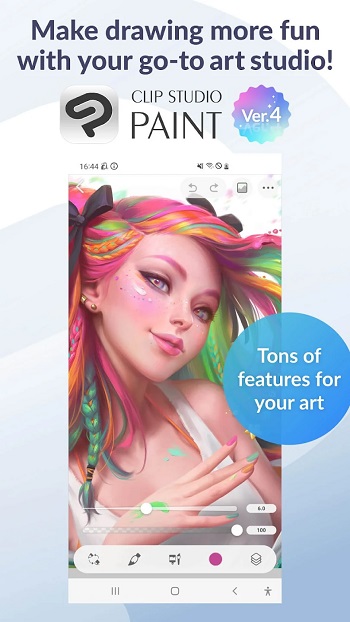
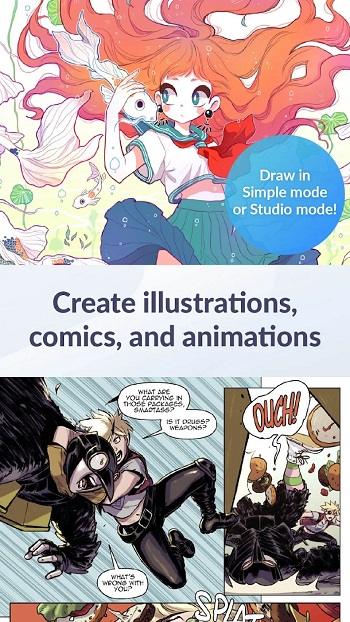
Clip Studio Paint is a mobile drawing and illustration app built for phones and tablets. It works as a full digital art tool, giving creators a studio-style workspace in a compact format. The app supports sketching, painting, comics, manga, and even animation, so it feels closer to a portable art program than a casual drawing pad.
The app is used for digital illustration, character art, concept sketches, and comic layouts. It offers tools that help you build clean line art, manage layers, try different colors, and edit shapes without starting over. Artists can switch between simple drawing mode or the full advanced interface depending on how they like to work.
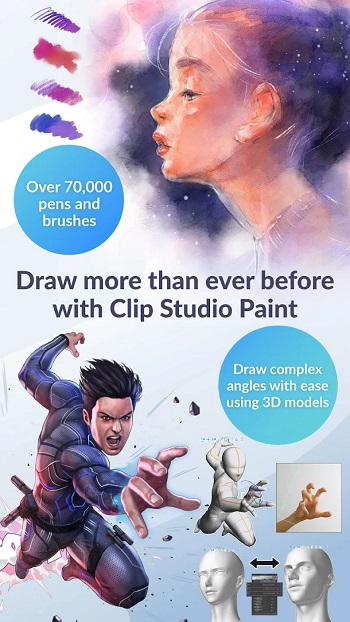
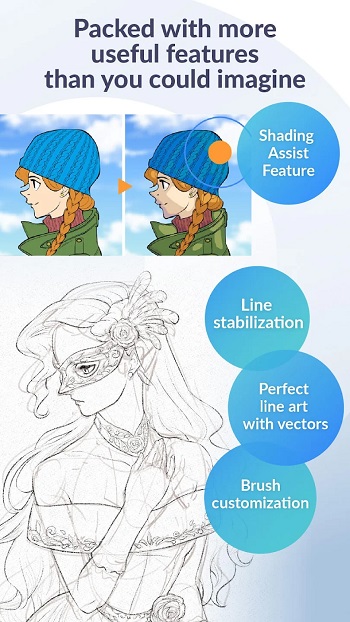
Its key features include pressure-sensitive brushes, vector lines, color mixing, 3D posing models, gradient maps, liquify adjustments, and a huge asset library made by creators around the world. The app also supports animation with frame controls, sound, and camera movement. Artists who enjoy flexible tools can change brush textures, tweak shapes, adjust stabilizers, or create their own brushes.
One major advantage is convenience. You can work on a detailed piece with thousands of layers or make quick sketches on the go. The vector tools help keep lines sharp even when you resize them, and the stabilization keeps strokes steady. The asset library also saves time because you can grab ready-made brushes, textures, and poses.
There are still things to keep in mind. Some features require a subscription to save or export work, especially on smartphones. Large files may feel heavy on low-spec devices, and the interface might feel overwhelming at first for beginners who are still learning digital art tools.
Clip Studio Paint works well for artists, students, hobbyists, and anyone who sketches regularly. It’s helpful for character design, manga creation, digital painting practice, and quick idea drafts. Users who want strong art tools on a mobile device will get the most value from it.
FAQs Clip Studio Paint
What devices support Clip Studio Paint?
+
Clip Studio Paint works on smartphones, tablets, and computers, giving users a flexible digital art setup.
Does Clip Studio Paint require a subscription?
+
Smartphones get limited free hours each month, and saving or exporting usually needs a paid plan.
Is Clip Studio Paint good for beginners?
+
Yes, the simple mode helps new artists start drawing fast while offering advanced tools for growth.
Can I animate in Clip Studio Paint?
+
Yes, the app supports short and long animations with frame tools, sound options, and camera movement.
Why do artists choose Clip Studio Paint for mobile use?
+
It offers pressure-responsive brushes, vectors, 3D posing models, and a large asset library for efficient drawing.
Discover More Interesting Apps
-
 Mod
Mod
AI Image Generator
v3.0.6
45.36 Mb
Updated -
Mod
Festival Poster Maker & Post
v6.0.6
69.39 Mb
Updated -
Mod
Castle
v292.0
118.86 Mb
Updated -
Freepik AI
v6.4.4
66.00 Mb
Updated -
Mod
Crafto
v11.7.5
206.00 Mb
Updated -
Mod
Pixelcut
v0.9.66
62.05 Mb
Updated -
True Liquid Glass
v17.2
10 MB
Updated -
Mod
FlipaClip
v5.0.1
169.35 Mb
Updated -
Mod
AR Drawing
v5.2.6
98.06 Mb
Updated -
Mod
ibis Paint X
v14.1.2
110.00 Mb
Updated










Share Your Thoughts